Free menu bar app for macOS
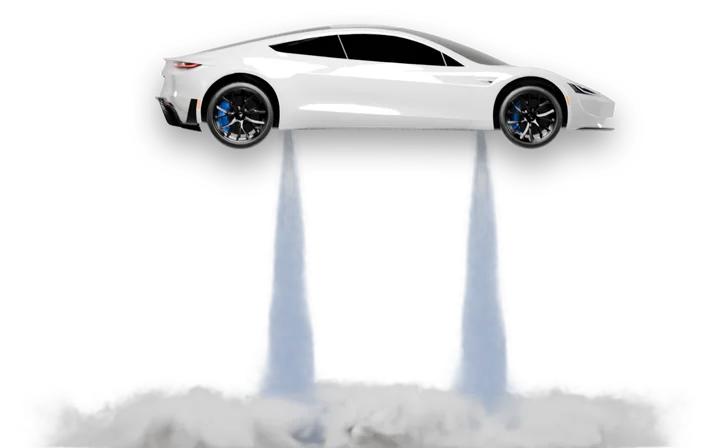
A car that flies across your Mac.
On a timer or at a click, a photoreal roadster lifts off on jets of steam, flips and lands right on your desktop.
Lives in your menu bar.
Click the little car at the top of the screen and choose when the show plays.

When it flies
- PomodoroAt the end of every focus session and every break. 25 and 5 minutes, or your own.
- Every hourOn the hour, by your Mac’s clock.
- RandomAt a random moment after the last show. 30 to 90 minutes by default, or any range from 1 minute up to 10 hours.
Also in the panel
- Play nowThe show whenever you want it.
- MuteThe same flight without sound.
- Open at loginStarts with your Mac. On by default.
Clicks pass right through the car, so it never gets in your way. No shows while your Mac sleeps or is locked.
Free. Made for the Mac.
One small app. No account, no ads.
Roadster for macOS
- Apple silicon and Intel
- macOS 13 Ventura or later
Roadster runs on a Mac. Open this page there to download it.
Windows
In development. Coming later.
Install in a minute.
macOS asks you to confirm the first launch. You do it once.
1Unzip
Double-click Roadster.zip in Downloads. Safari may have unzipped it already.
2Open Roadster
macOS says it can’t verify the developer. Click Done, not Move to Trash.
3Open Anyway
Open System Settings → Privacy & Security, scroll down and click Open Anyway. Confirm.
4Move to Applications
Roadster offers to move itself there. Click Move to Applications, and the car is in your menu bar.
Why the warning?
Roadster is free and isn’t signed or notarized through a paid Apple developer account, so macOS can’t confirm who made it. That is what the warning is about. The code is open: anyone can read what the app does.
Open source.
The Mac app, the physics of the flight, the scenes that render the show. Read it, build it yourself, or suggest a change.
git clone https://github.com/valentin-ste/flying-roadster
View on GitHub